Dashboard Help & FAQ
Everything you need to know about the Swiss Whale Intelligence Dashboard — from getting started to understanding every feature in Free and Premium mode.
1. Getting Started
When you visit the dashboard, you see the login screen with two options:
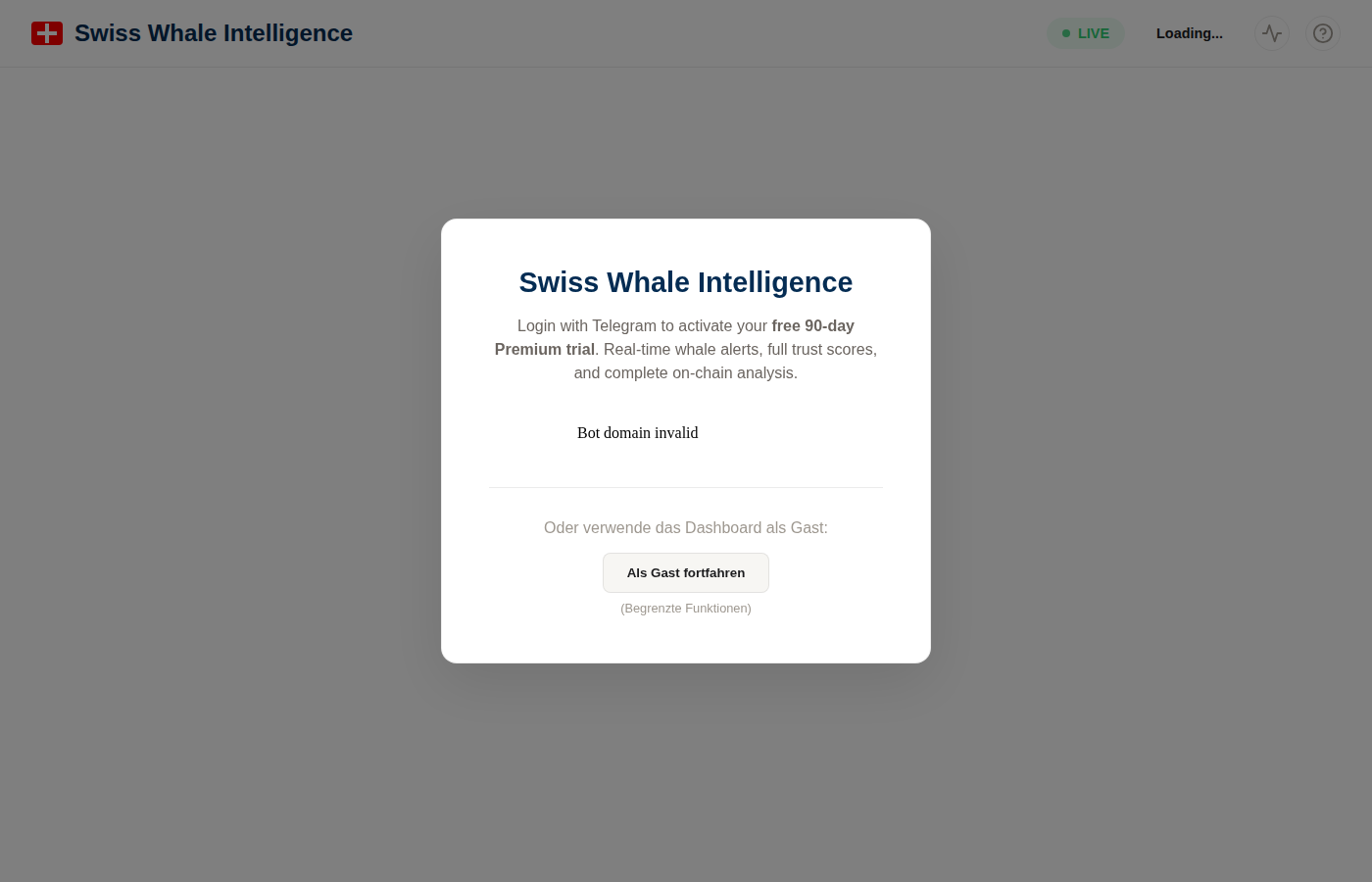
The login screen — sign in with Telegram or continue as guest
Option A: Telegram Login — Free 90-Day Premium Trial
Click the Telegram button to sign in. This automatically activates a free 90-day Premium trial — no credit card, no payment, no commitment. You get full access to every feature for 90 days. After the trial, your account reverts to the free tier.
Option B: Continue as Guest (Free Mode)
Use the dashboard without an account. You get access to all charts and statistics, but the whale feed shows delayed and limited data. You can upgrade to Premium at any time by logging in with Telegram.
2. Dashboard Overview
Here is what the dashboard looks like in Free and Premium mode. Both have access to all charts and stats — the key differences are in the whale feed (data freshness, detail level).
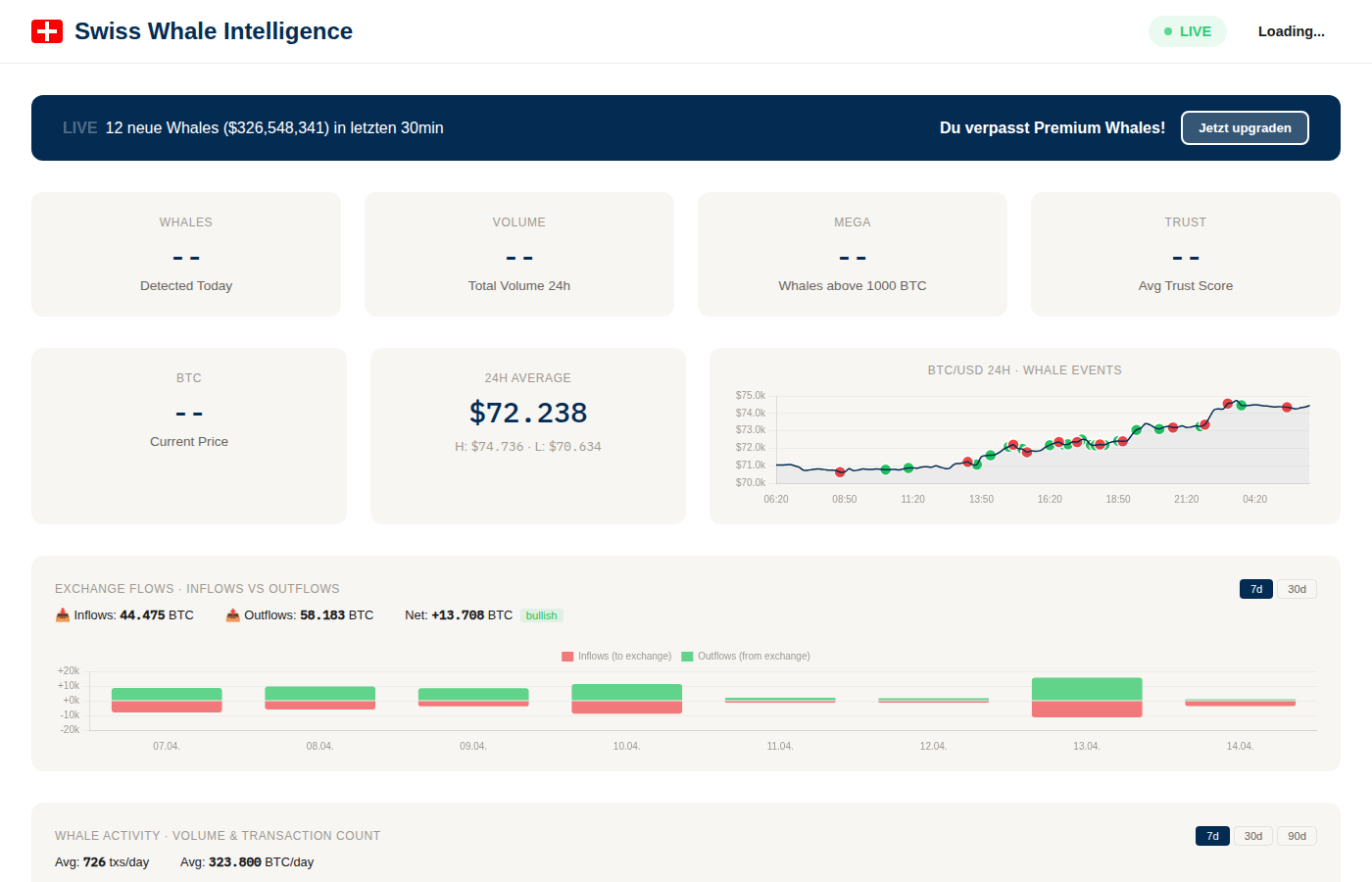
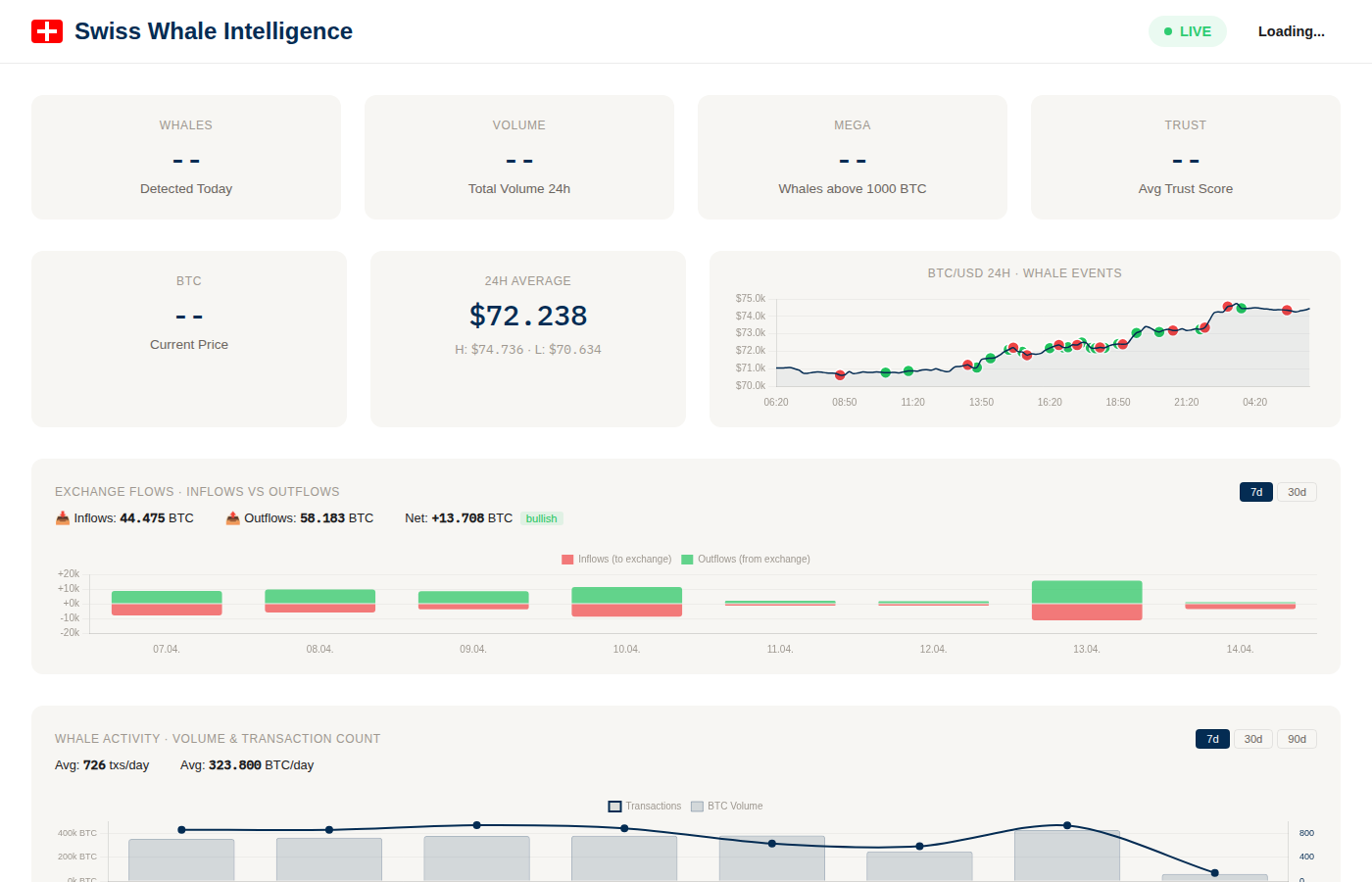
Left: Free mode with upgrade banner. Right: Premium with "REAL-TIME" badge and full data.
Real-Time Stats
Whale count, 24h volume, mega whales, trust score — updated every 30 seconds. Available in both Free and Premium.
Price & Whale Overlay
24h BTC chart with whale events as colored dots. See how large transactions correlate with price. Available in both modes.
Exchange Flow Analysis
BTC flowing to/from exchanges with bullish/bearish signals. 7d and 30d views. Available in both modes.
Live Whale Feed
Transaction table with amounts, addresses, trust scores. Premium: real-time, full detail. Free: 3h delay, limited.
3. Stats Cards & BTC Price
The top rows show key metrics at a glance. These are identical in Free and Premium.
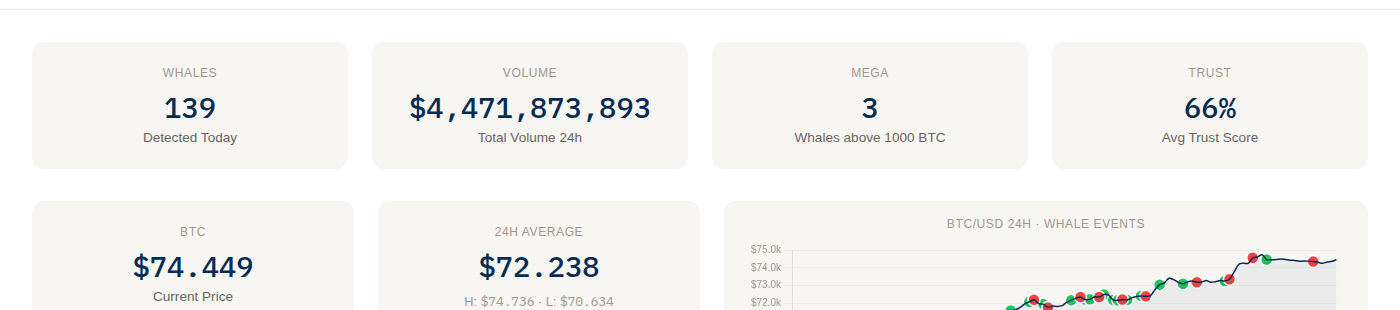
Stats overview: key metrics + BTC price with 24h chart
Whales Detected Today
Number of large BTC transactions in the last 24 hours. Typically 100–300 per day.
Total Volume 24h
Combined USD value of all whale transactions. Shown in millions or billions.
Mega Whales (>1000 BTC)
Extremely large transactions. Rare but significant — often institutional or exchange moves.
Avg Trust Score
Average trust across today's whales. Measures address familiarity, not profitability (see FAQ).
BTC Price Row
Current Price — latest BTC/USD. 24h Average — mean price with High (H) and Low (L) markers. The 24h chart plots BTC/USD as a line with whale events as colored dots overlay.
4. BTC Price Chart with Whale Events
The 24h price chart overlays whale transactions as colored dots directly on the price line. This lets you visually check whether whales tend to move BTC before, during, or after price swings.
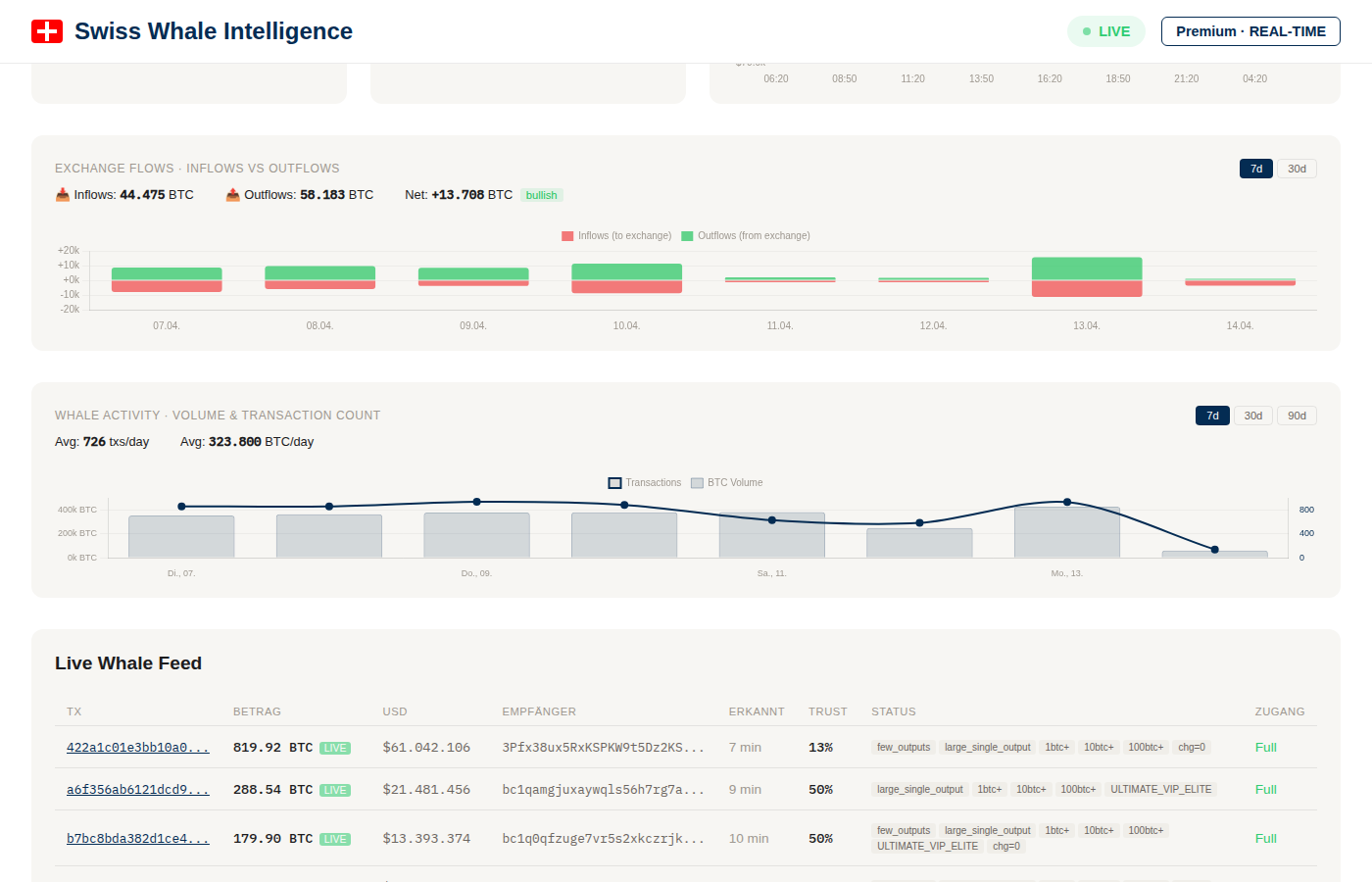
Charts area: Exchange flows (top) and whale activity (bottom)
5. Exchange Flows — Inflows vs. Outflows
One of the most valuable on-chain indicators. Tracks how much BTC moves to and from known exchange addresses.
- Inflows (red bars) — BTC sent to exchanges. Often indicates intent to sell.
- Outflows (green bars) — BTC withdrawn from exchanges. Typically indicates accumulation or cold storage.
- Net flow + signal badge — Difference between outflows and inflows, labeled bullish/bearish/neutral.
Toggle between 7d and 30d using the buttons in the top-right corner. The summary shows totals for Inflows, Outflows, and Net in BTC.
6. Whale Activity Chart
Shows daily whale transaction volume (BTC) and transaction count over time. Helps you spot trends — are whales getting more active or cooling down?
Switch between 7d, 30d, and 90d timeframes. The summary line shows average daily transaction count and volume.
7. Live Whale Feed — Free vs. Premium
The main data table is where Free and Premium diverge most. Here's a direct comparison:
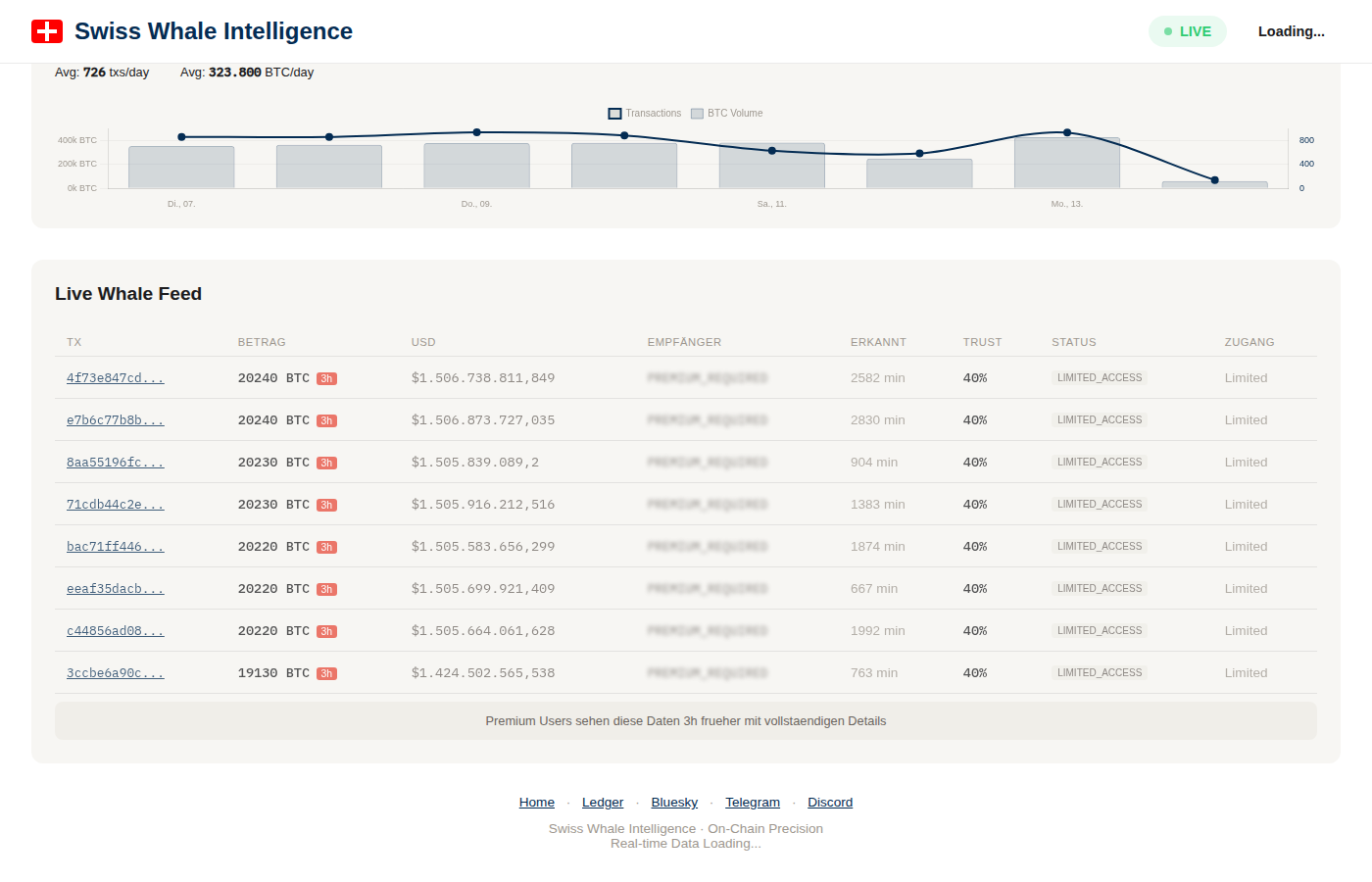
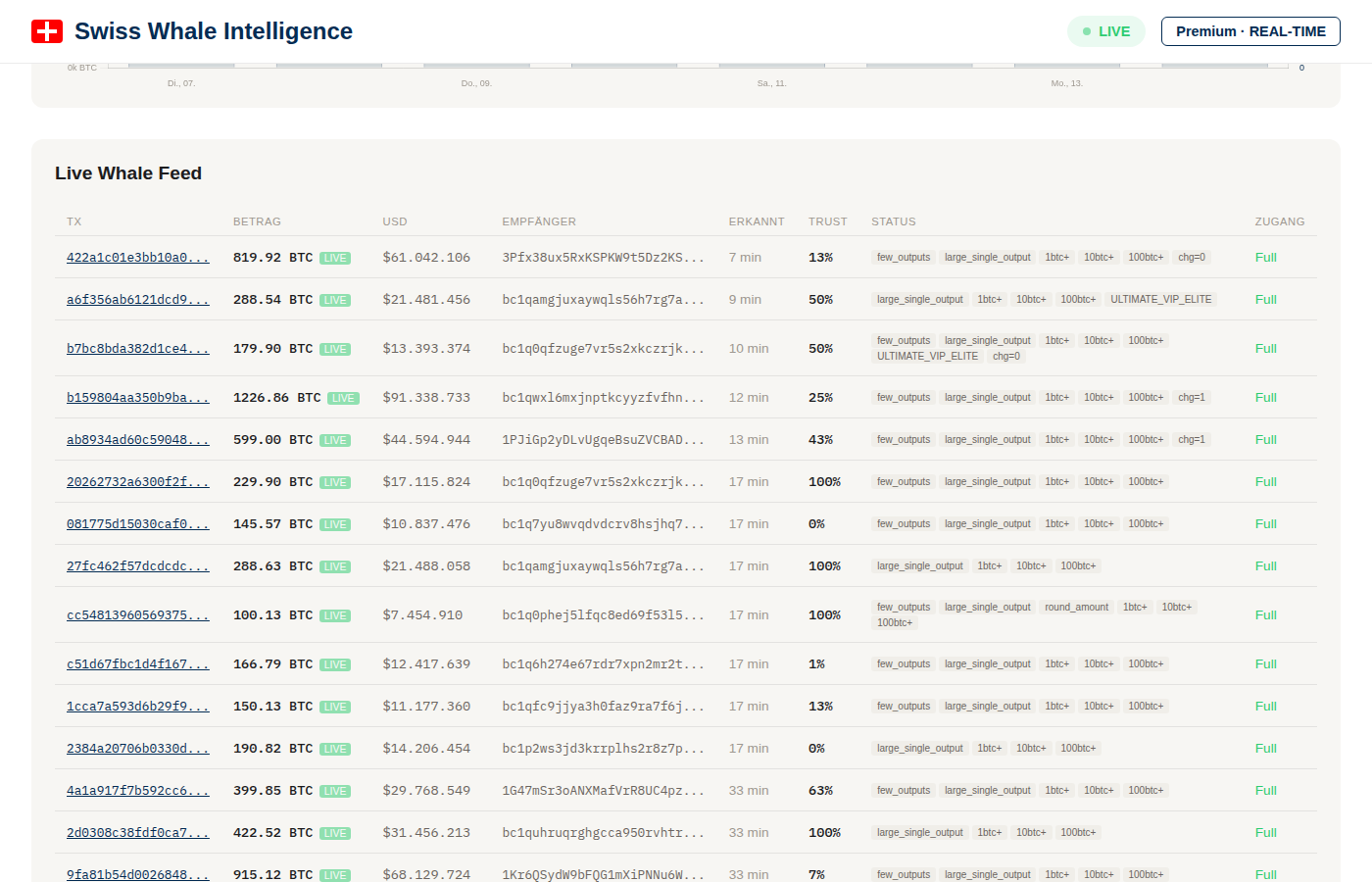
Free: masked addresses, rounded amounts, 3h delay. Premium: full addresses, exact amounts, real-time.
Feed Columns Explained
| Column | Description |
|---|---|
| TX | Transaction ID — clickable link to the detail page |
| BTC / USD | Amount in BTC and USD value. Premium: exact. Free: rounded. |
| Sender / Recipient | Bitcoin addresses. Premium: full addresses. Free: partially masked. |
| Comment | Auto-generated context: confirmations, block time, flow info |
| Trust | Trust score (0–100%) — how well-known this address is |
| Status | Flow type tags: from_exchange, to_exchange, wallet_to_wallet, etc. |
| Detail | Link to full analysis page (Premium: signed link with price window, related TXs) |
Premium Feed in Detail
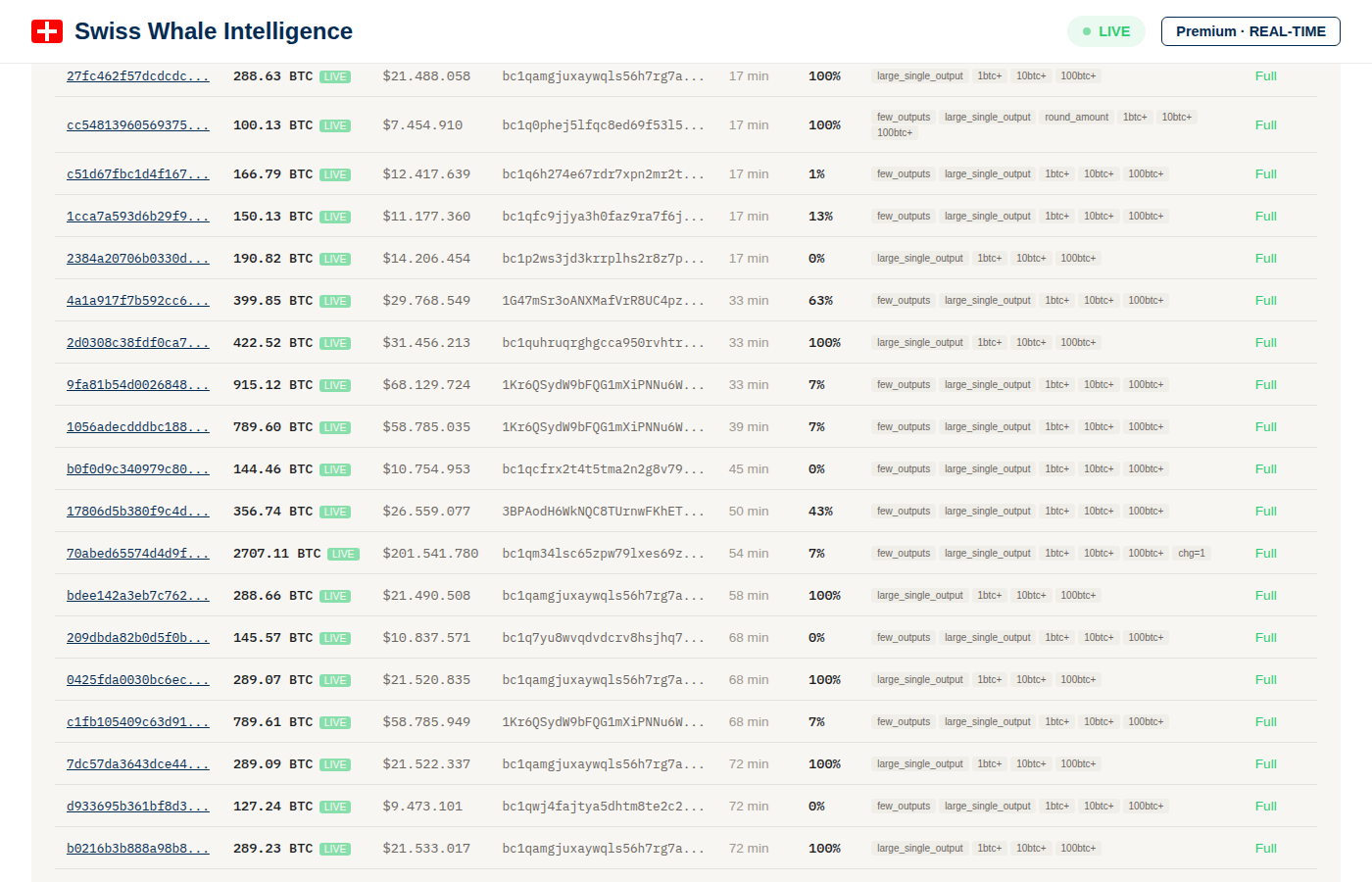
Premium feed: full addresses, exact BTC amounts, trust scores, flow types, and clickable analysis links
8. Transaction Detail Pages Premium
Premium users get signed links from the whale feed that open a comprehensive analysis page for each transaction. These pages pack a lot of information:
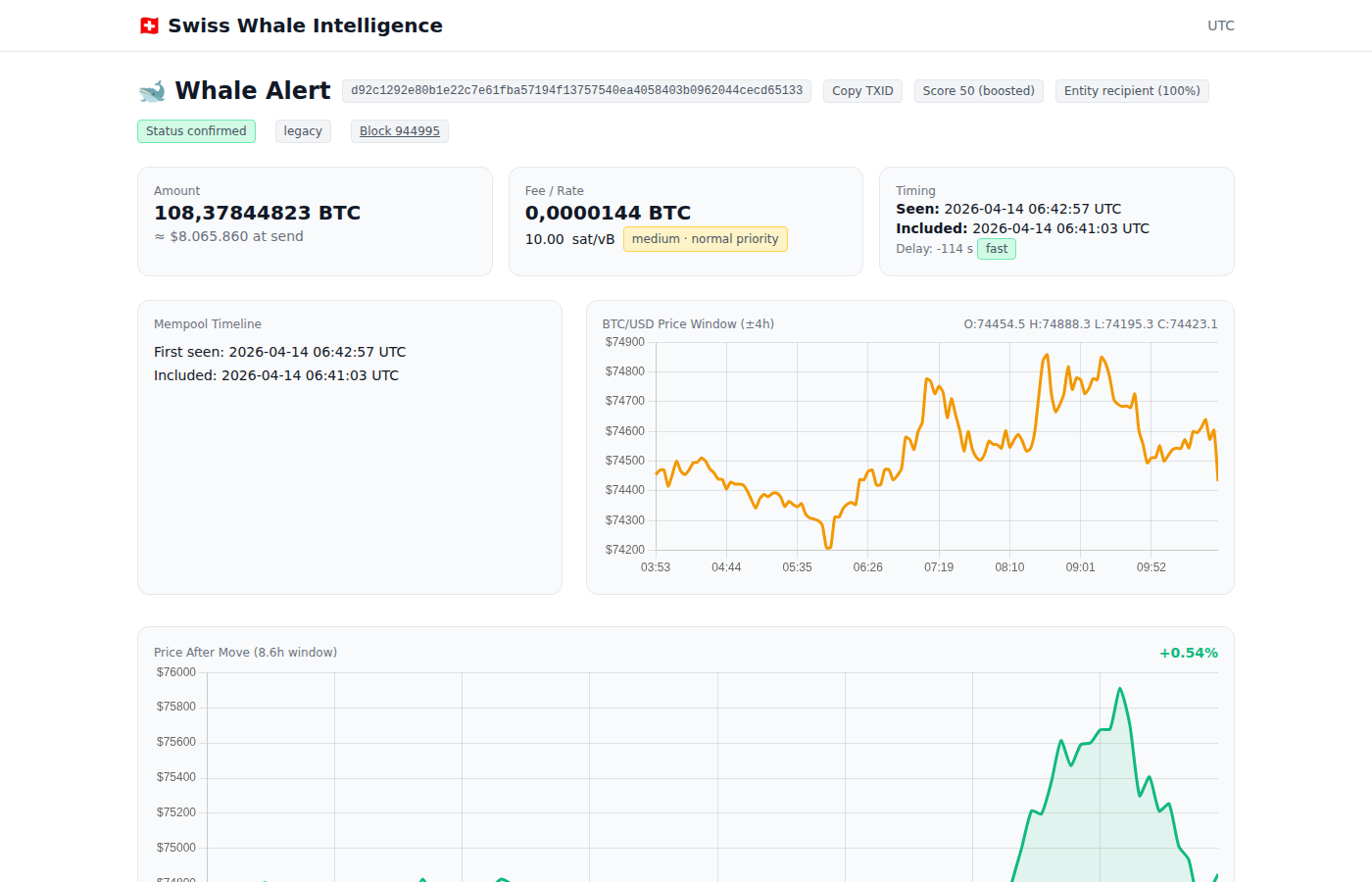
Full alert page: header badges, amount, fee rate, timing, mempool timeline, and price window chart
Header & Badges
The top of every alert shows the full TXID (with a copy button), plus status badges:
- Status confirmed / unconfirmed — Whether the TX is included in a block
- Score — Quality score (0–10) based on amount, trust, and flow significance
- Entity recipient — Confidence percentage that the recipient is a known entity (e.g. exchange). Hover for a detailed explanation of how the confidence is calculated (address reuse patterns, transaction graph clustering, known exchange databases)
- Block number — Clickable link to the block explorer (see below)
Info Cards
Amount
Exact BTC amount + USD value at the time of broadcast.
Fee / Rate
Transaction fee in sat/vB with an interpretation badge: low · planned move (<8 sat/vB), medium · normal priority (8–20), or high · urgent (>20). Hover the badge for a detailed tooltip explaining the thresholds.
Timing
When the TX was first seen in the mempool and when it was included in a block, plus the delay between the two.
Mempool Timeline
Visual timeline showing first-seen vs. included timestamps.
BTC/USD Price Window
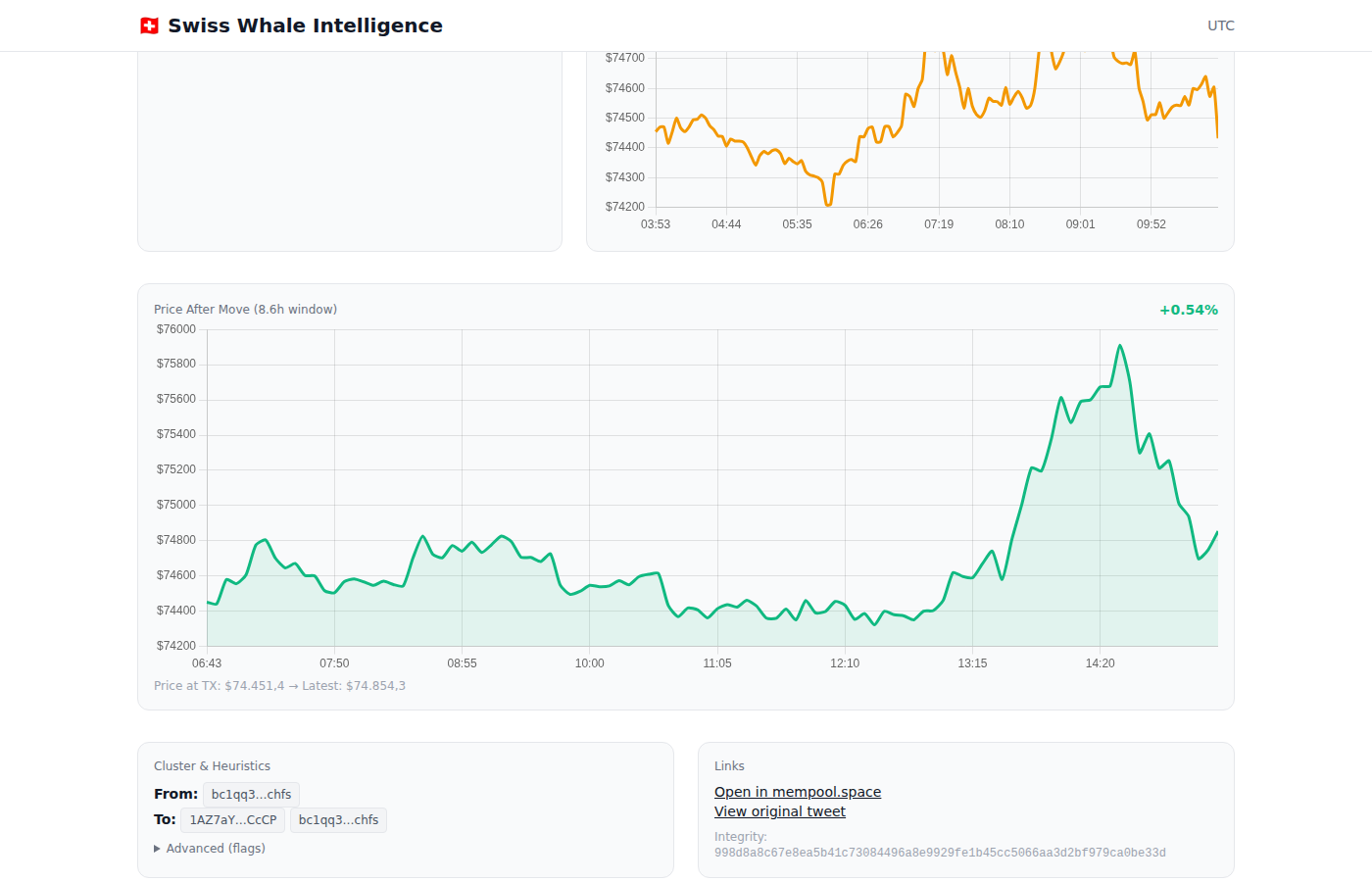
Price window (±4h), cluster & heuristics, and external links
A ±4 hour price chart centered on the transaction time with OHLC data (Open, High, Low, Close). This lets you see exactly where in the price action the whale made their move.
Price After Move (Post-Impact)
Below the main price chart, a second chart shows the 24 hours after the transaction. This answers the key question: did the price go up or down after this whale moved?
- Green chart — Price increased after the move (positive return)
- Red chart — Price decreased after the move (negative return)
- Shows exact percentage return (e.g.
+4.91%), price at TX time, and latest price - Only visible for transactions older than a few hours (needs post-move price data)
On-Chain Balance
For addresses that our Bitcoin full node can resolve, the alert page shows real-time UTXO balance data for both sender and recipient:
- Balance — Current confirmed BTC balance of the address
- UTXO Count — Number of unspent transaction outputs (fewer = more consolidated wallet)
- Transaction Count — Total number of on-chain transactions for this address
This data comes directly from our local electrs UTXO index connected to our Bitcoin full node — no third-party API, no delays.
Cluster & Heuristics
Shows the sender and recipient addresses with known labels. The Advanced (flags) section can be expanded for additional transaction metadata and technical flags.
External Links
- Open in mempool.space — View the full TX on the mempool.space block explorer
- View original tweet — Link to the original alert post (if one was published)
- Integrity hash — SHA-256 hash for data verification
Similar Recent Alerts
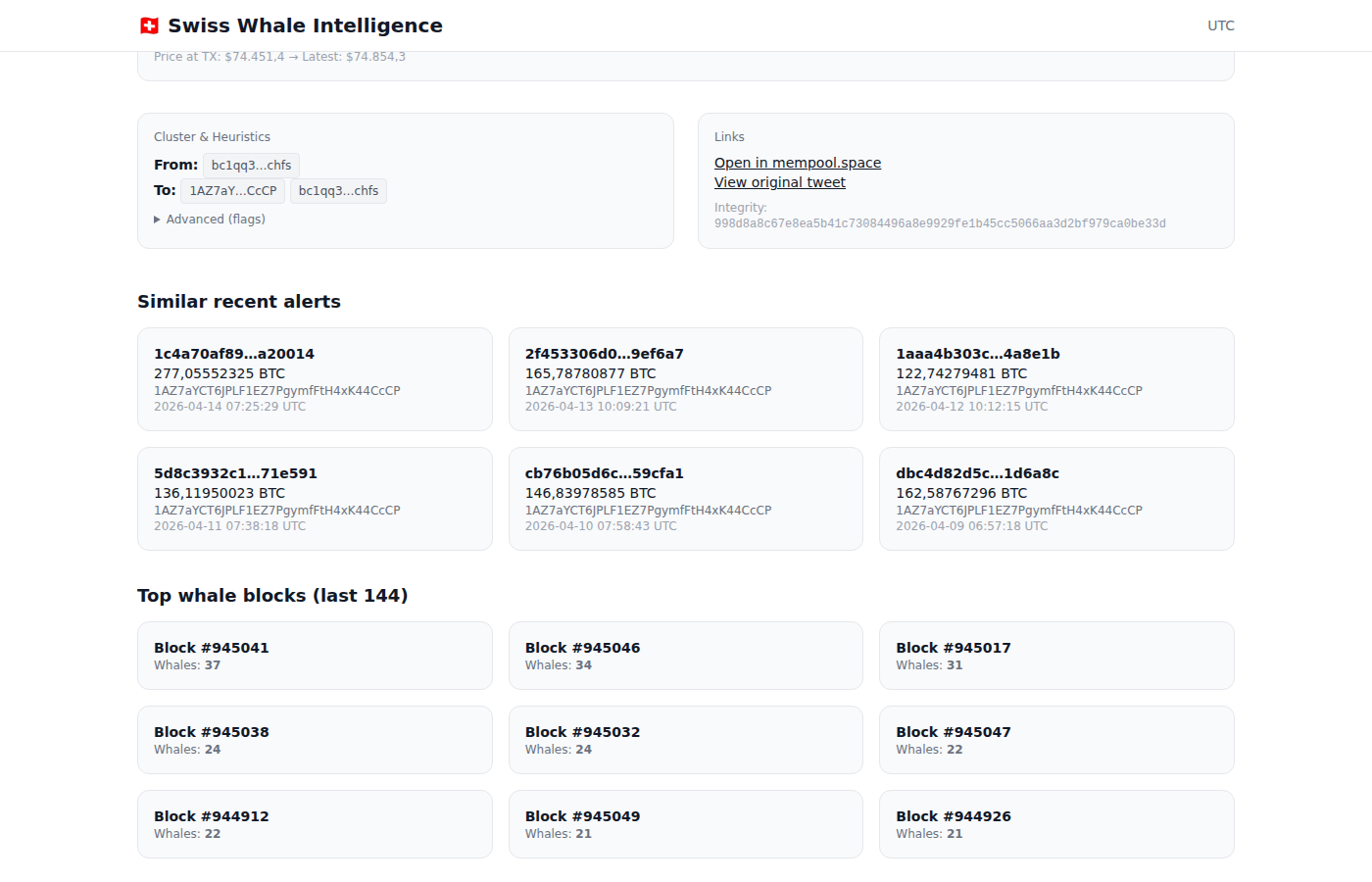
Similar alerts from the same address + top whale blocks in the last 144 blocks (~24h)
Shows other recent whale transactions from the same address. This helps you identify patterns — is this a one-off move, or does this whale regularly transact? Each card shows the TXID, BTC amount, address, and timestamp.
Top Whale Blocks
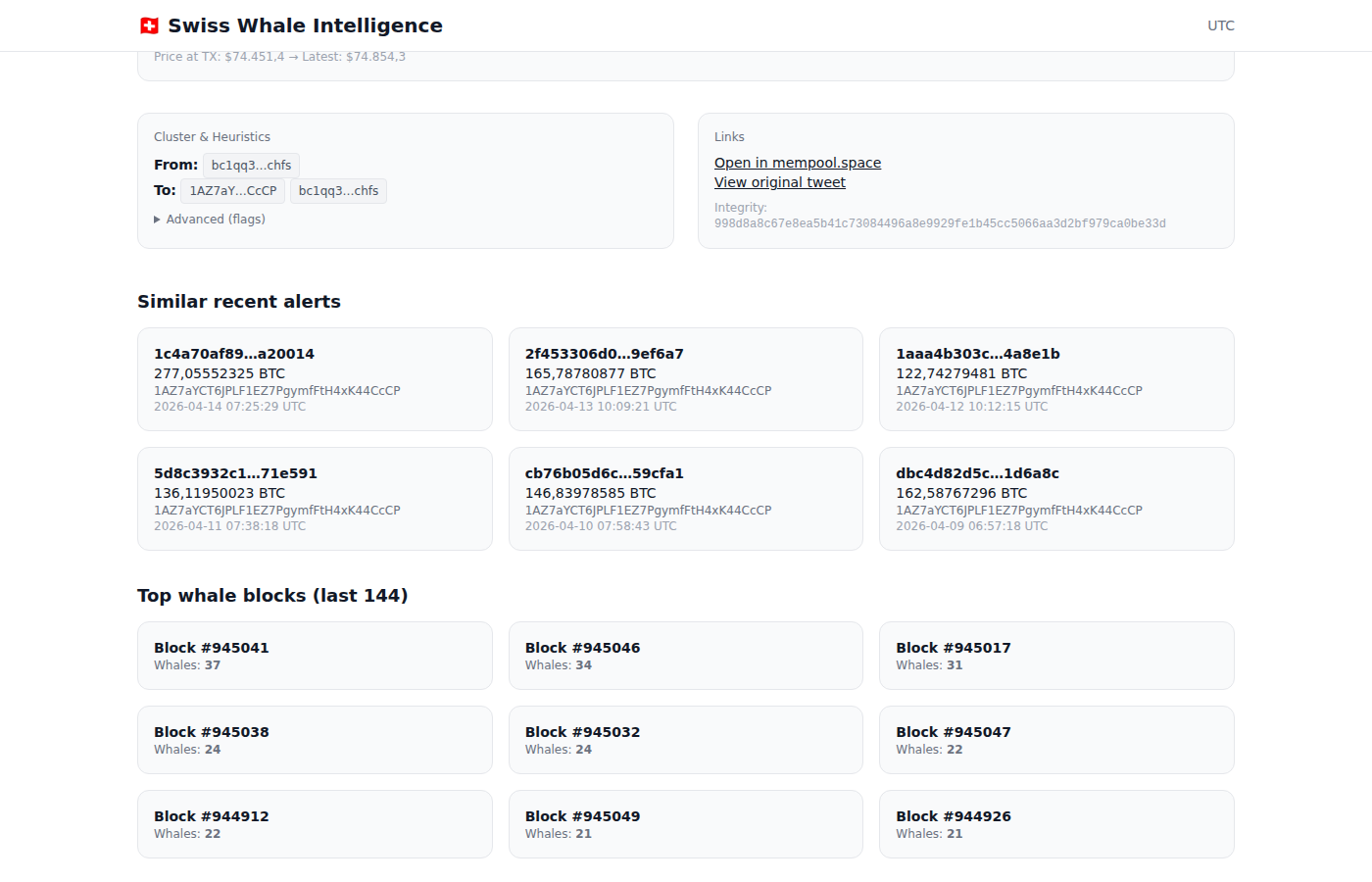
The most whale-heavy blocks in the last ~24 hours
Lists the blocks with the most whale transactions in the last 144 blocks (~24 hours). Click any block to open the block explorer modal.
9. Block Explorer Premium
Clicking a block number anywhere on the alert page opens an interactive block explorer modal:
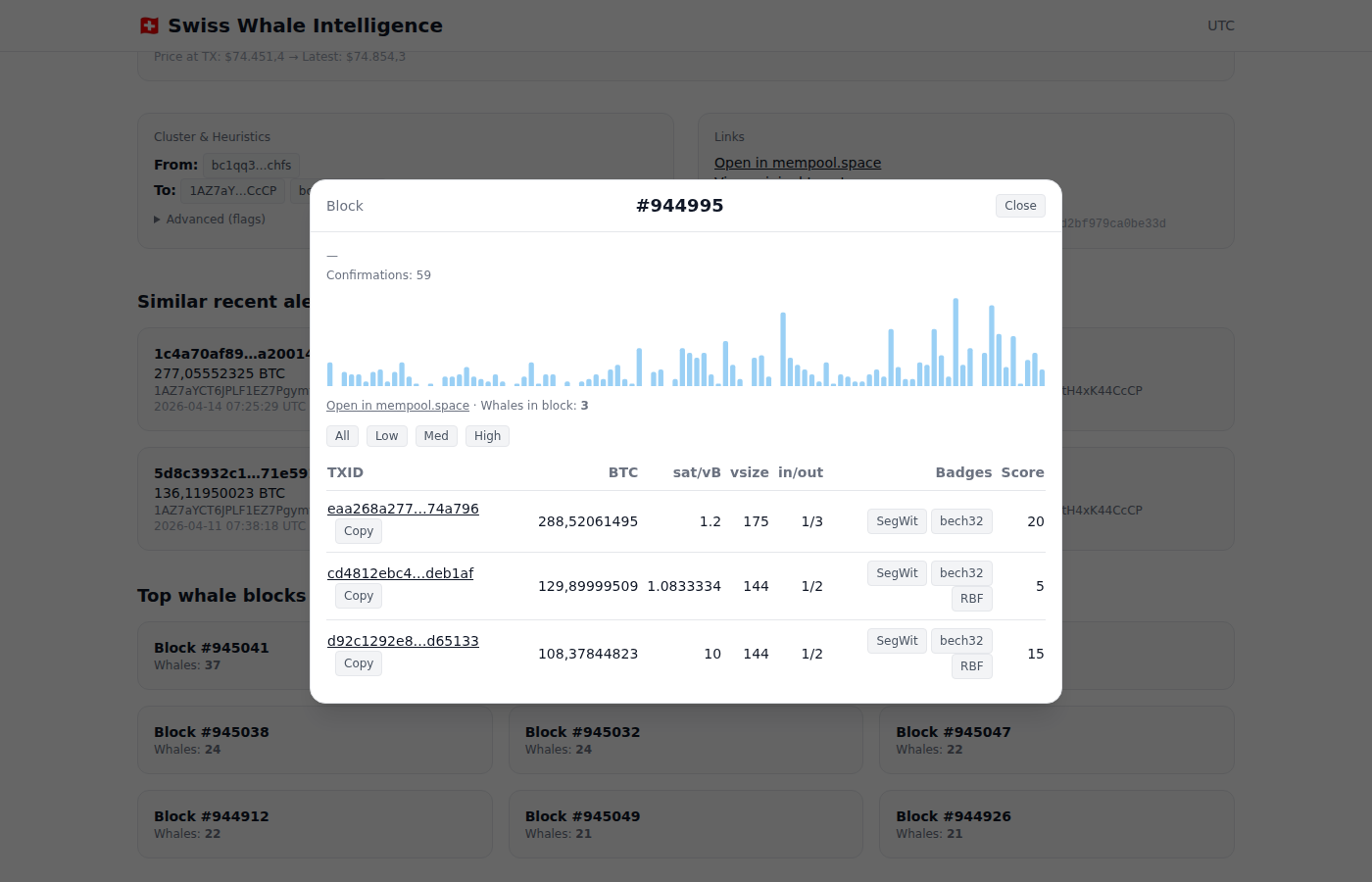
Block modal: confirmations, fee rate histogram, and all whale transactions in the block
What the Block Explorer Shows
- Confirmations — Current confirmation count
- Fee Rate Histogram — Visual distribution of fee rates across all transactions in the block
- Whales in Block — Count of whale transactions detected in this block
- Filter buttons — Filter whale transactions by fee rate: All, Low, Med, High
Whale Transaction Table
Every whale transaction in the block is listed with:
| Column | Description |
|---|---|
| TXID | Clickable transaction ID + copy button |
| BTC | Exact BTC amount |
| sat/vB | Fee rate in satoshis per virtual byte |
| vsize | Virtual transaction size in bytes |
| in/out | Number of inputs and outputs |
| Badges | Technical badges: SegWit, bech32, legacy, RBF (Replace-by-Fee) |
| Score | Quality score (0–10) |
The block explorer also links to mempool.space for the full block view.
10. Whale Address Profiles Premium
Premium users can access detailed profiles for individual whale addresses, linked from transaction detail pages.
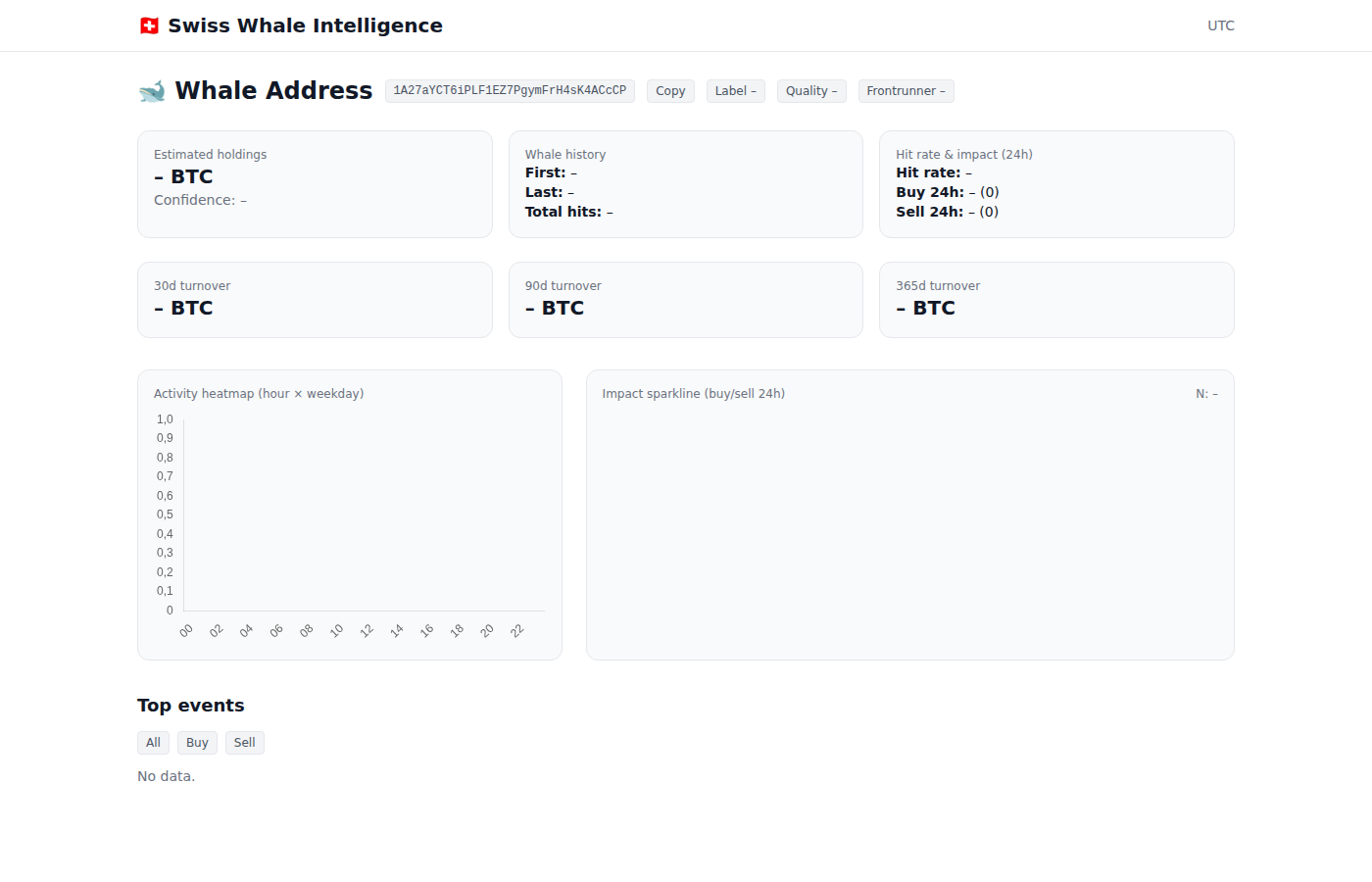
Whale address profile: holdings, history, hit rate, turnover, activity heatmap, and top events
Profile Overview Cards
Estimated Holdings
Estimated current BTC balance based on on-chain data, with confidence level.
Whale History
First and last seen dates, total number of whale-sized transactions (hits).
Hit Rate & Impact
Historical hit rate and 24h buy/sell activity count.
Turnover (30d / 90d / 365d)
Total BTC volume moved by this address in different timeframes.
Activity Heatmap
A hour-of-day vs. day-of-week heatmap showing when this address is most active. Useful for identifying routine transfers (e.g. daily at 15:00 UTC) vs. irregular activity.
Impact Sparkline
A 24-hour sparkline showing buy/sell activity and net flow direction.
Top Events
The largest transactions from this address, filterable by Buy/Sell, with BTC amounts and timestamps.
Address Actions
The profile header includes buttons to copy the address, set a label, adjust quality rating, and mark as frontrunner for monitoring.
11. Public Transaction Pages Free
Every whale transaction also has a public page at /tx/<txid>, accessible without login:
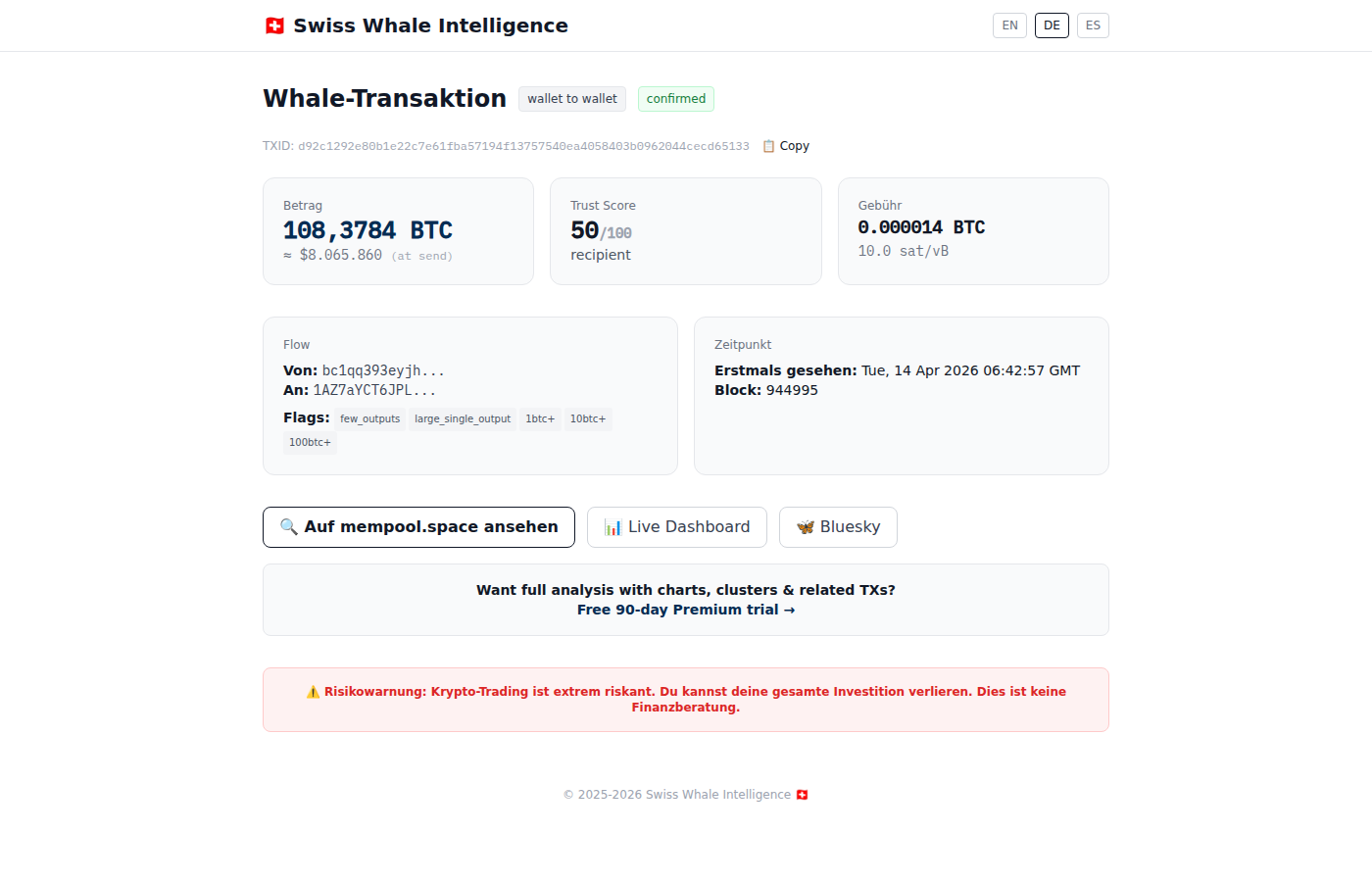
Public TX page: basic info + links to mempool.space, dashboard, and Bluesky
The public page shows:
- Flow type badge (wallet-to-wallet, to-exchange, from-exchange)
- BTC amount, score, and fee rate
- Sender and recipient addresses
- Block height and first-seen timestamp
- Links to mempool.space, the live dashboard, and Bluesky
13. Frequently Asked Questions
What counts as a "whale" transaction?
Any Bitcoin transaction with a total value of ≥50 BTC (Premium) or ≥200 BTC (Free). The system monitors the Bitcoin mempool and confirmed blocks in real-time using a full Bitcoin Core node.
What is the Trust Score?
The trust score (0–100%) measures how well-known an address is, based on transaction history and exchange association. Important: High trust = familiar address, not necessarily profitable. Well-known whale addresses are often already "priced in" by the market. New/unknown addresses (low trust) can sometimes be more interesting.
What do the flow types mean?
to_exchange: BTC sent to a known exchange (potential selling). from_exchange: BTC withdrawn from an exchange (potential accumulation). wallet_to_wallet: Transfer between non-exchange addresses (consolidation, cold storage, or OTC deals).
How often is the data updated?
The dashboard refreshes every 30 seconds. Premium users see transactions within 1–2 minutes of broadcast. Free users see data with a 3-hour delay.
How does the 90-day free trial work?
Log in with Telegram → Premium activates instantly for 90 days. No credit card, no payment, no strings. After 90 days, you revert to Free unless you subscribe.
What is a "Mega Whale"?
A transaction of ≥1,000 BTC. These are rare (typically a few per day) and often represent institutional or major exchange movements.
Where does the data come from?
All blockchain data comes from our own full Bitcoin Core node — no third-party APIs for transaction data. Price data comes from CoinGecko. Exchange identification uses a curated watchlist of 830,000+ addresses built from on-chain heuristics and public labels.
Can I get alerts on my phone?
Yes. We send whale alerts via Telegram, Discord, and Bluesky — all free. Premium Telegram subscribers also receive detailed alerts with signed links to full analysis pages.
What does the Exchange Flows net signal mean?
Net = Outflows minus Inflows. Positive net (more BTC leaving exchanges) is generally bullish (accumulation). Negative net (more BTC entering exchanges) is generally bearish (selling pressure). The badge shows the current signal based on the magnitude.
Is this financial advice?
No. Swiss Whale Intelligence provides on-chain data and analytics for educational and informational purposes. It does not provide financial advice, trading signals, or investment recommendations. Always do your own research.
How many addresses are monitored?
Our watchlist contains over 830,000 Bitcoin addresses, including known exchange hot/cold wallets, OTC desks, mining pools, and large holders. The system processes every transaction on the Bitcoin network and filters for those meeting the minimum size threshold.